
ClinixMS
Run your clinic with clarity.
Clinic management software for general, dental and aesthetics clinics. Connect appointments, records, billing, doctor queues and prescriptions in one place.
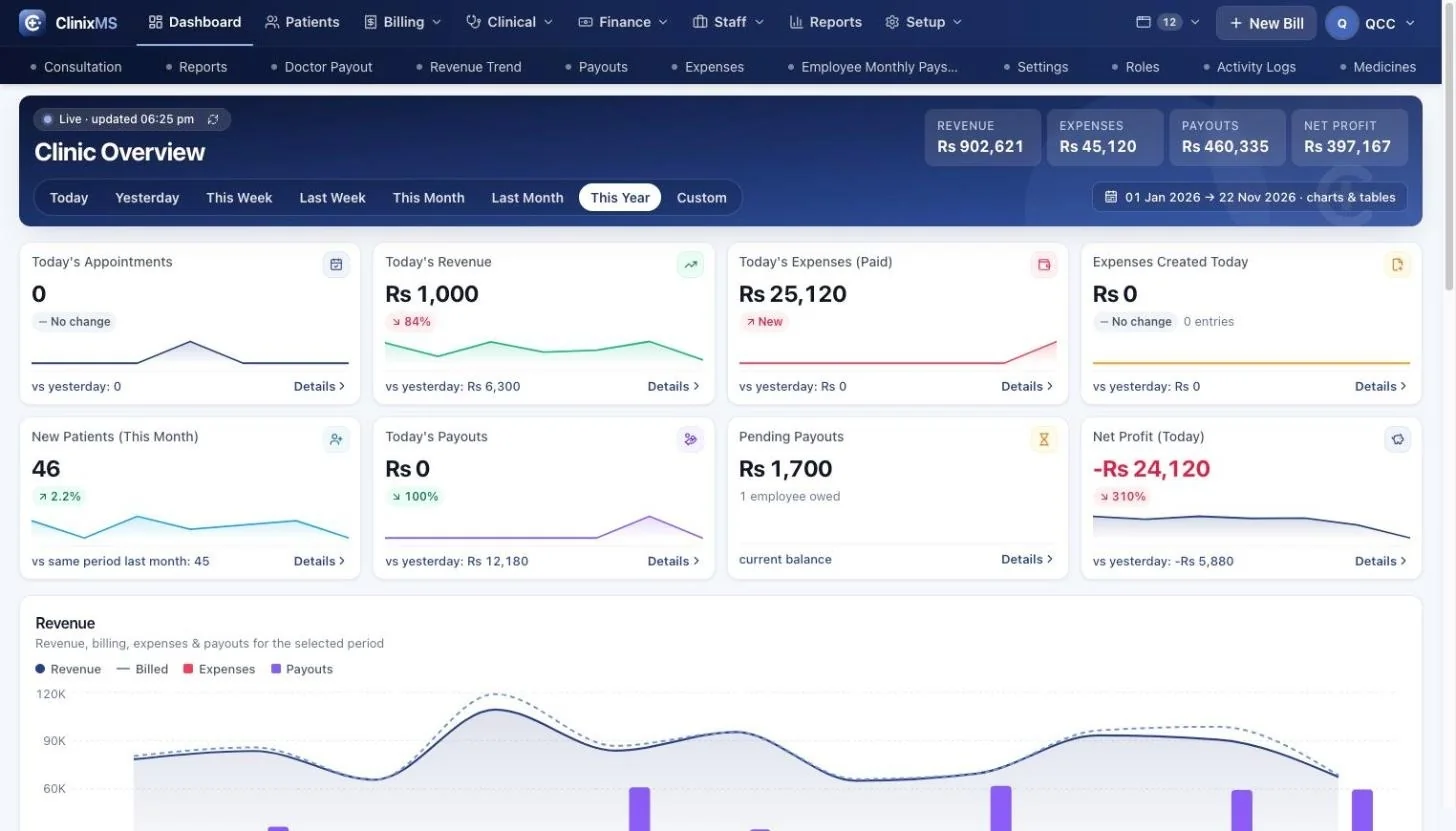
- Appointments
- Patients
- Billing & POS
- Doctor queue
- Prescriptions
- Finance & payroll
- Reports
Your front desk, doctors and accounts, working from the same record.
Without a connected system
- Appointments in a register, bills in another book, history in paper files
- Patients wait while the reception walks to the doctor’s room
- Doctor shares worked out by hand at month end, refunds missed
- No clear view of what came in, what went out and what is still due
With ClinixMS
- Every visit, bill and medical history under one patient number
- A paid bill puts the patient in the doctor’s queue automatically
- Commissions calculated with every bill and adjusted for refunds
- Revenue, expenses and payouts on one dashboard, by day, week or month
From the front desk to the doctor’s room to the books.
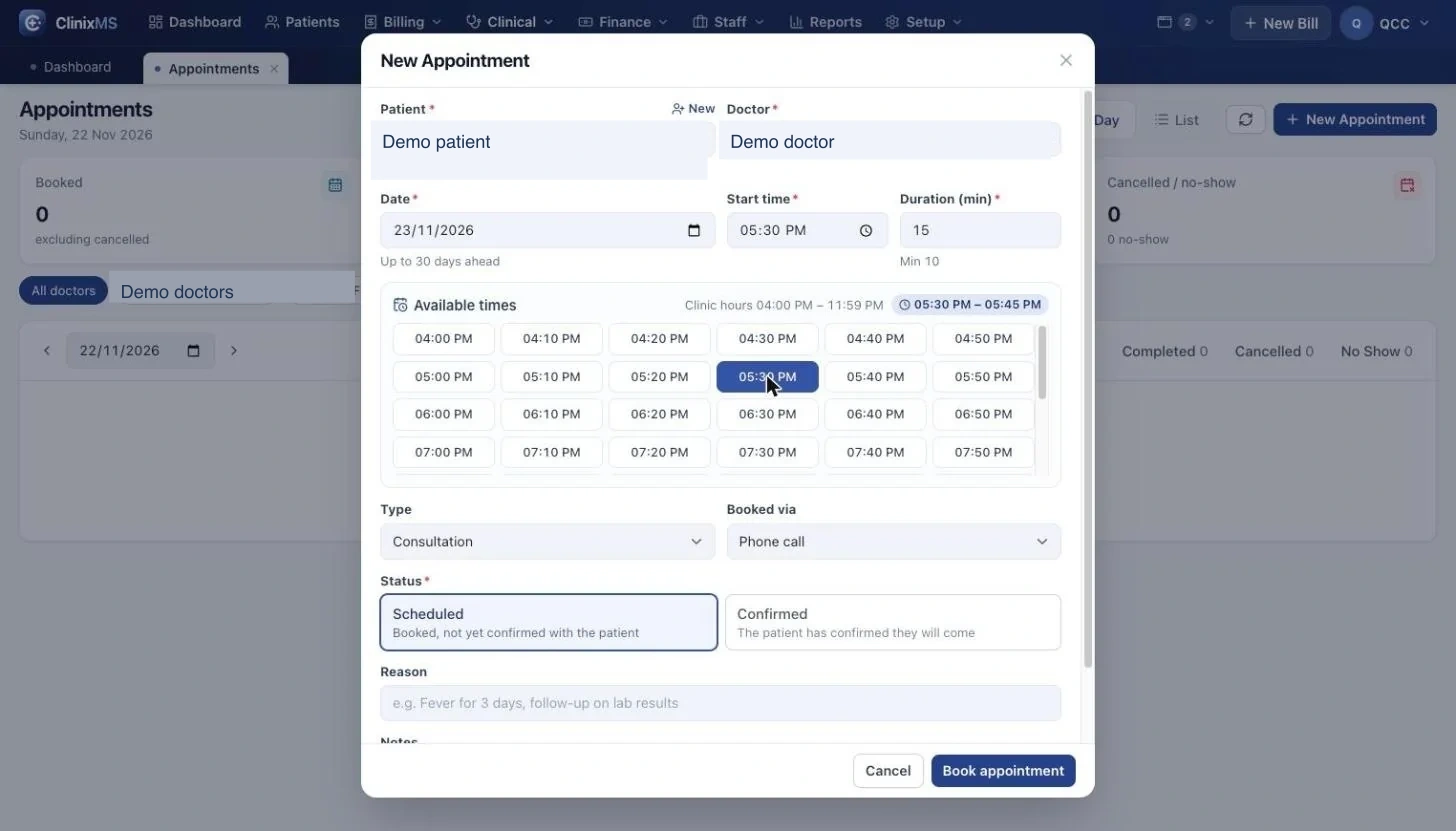
Book in seconds.
Pick the patient and doctor, and ClinixMS shows only the free times inside your opening hours.
- Opening hours and closed days built in
- Double bookings are blocked
- Day view and list view, filtered by doctor
- Confirmation and reminder emails
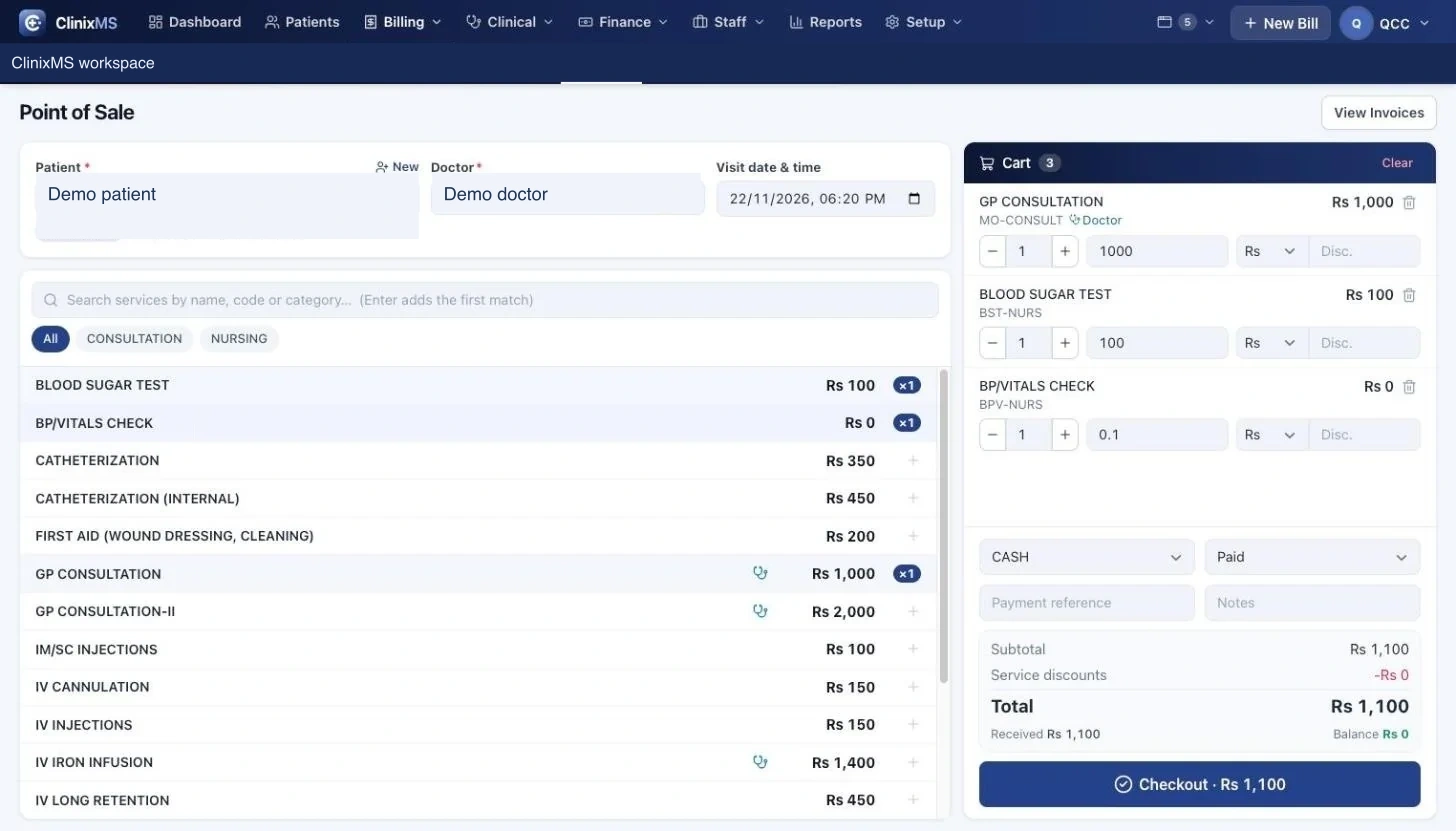
Bill at the counter, fast.
Choose the patient, add services, take payment and print the receipt on your thermal printer.
- Search services by name or code, Enter adds the first match
- Discounts, partial payments and insurance claims
- Line-by-line refunds with a reason
- 80mm thermal receipts with your logo and footer
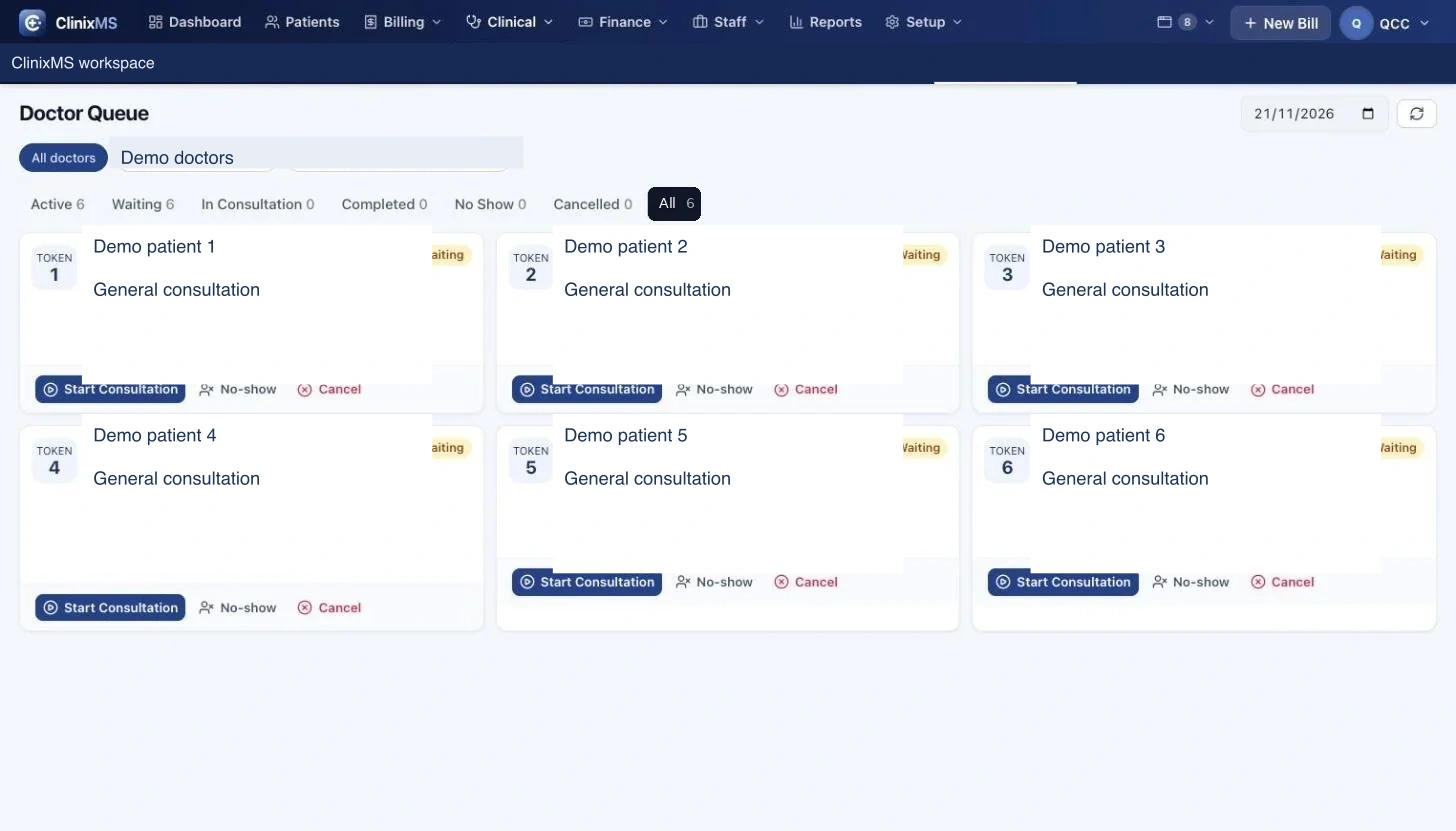
The queue fills itself.
Once a bill is made, the patient joins the doctor’s queue with a token number — no slips, no calls to the room.
- Live tokens per doctor: waiting, in consultation, completed
- Start consultation in one click
- Mark no-shows and cancellations
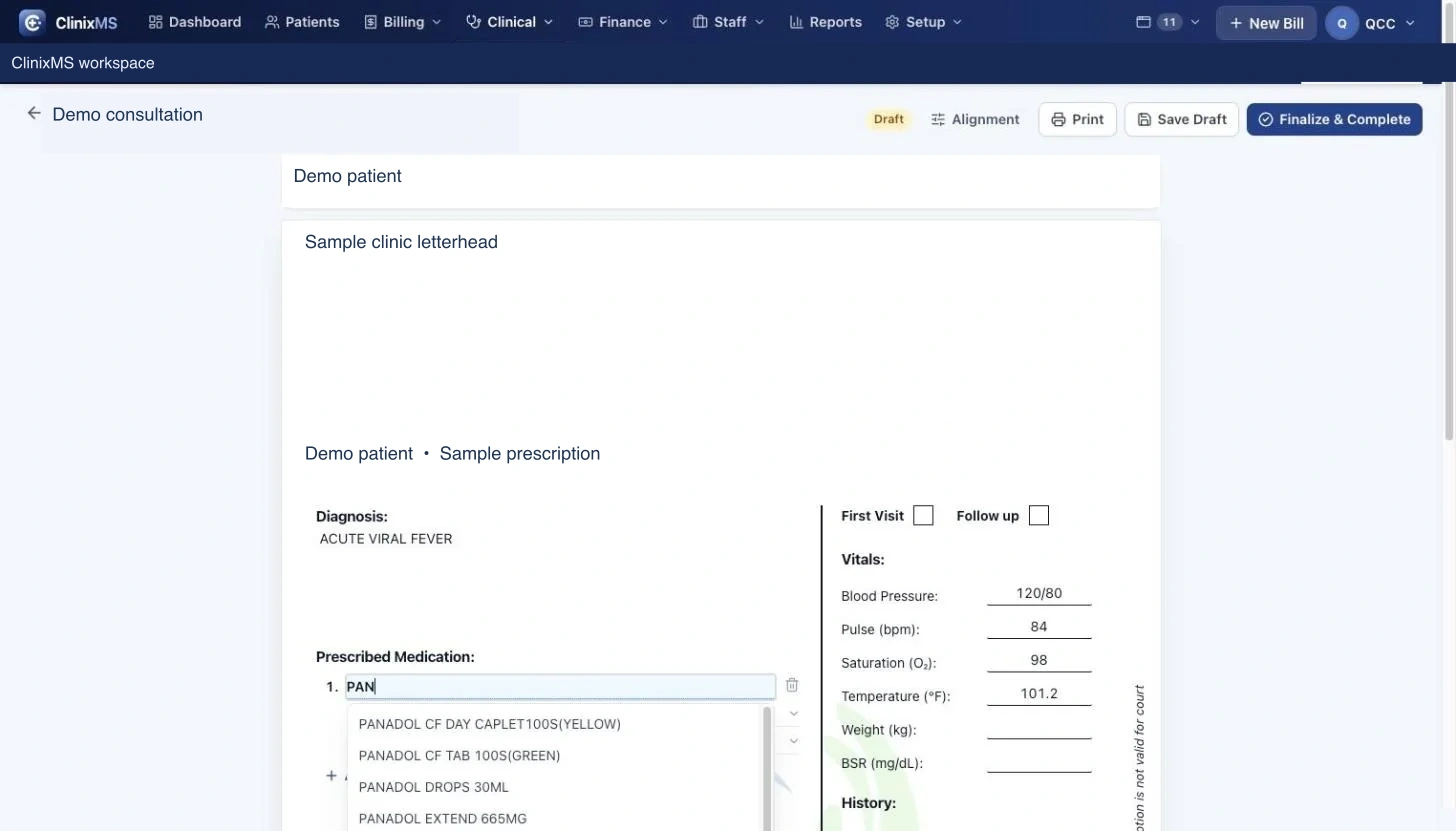
Prescriptions in minutes.
Vitals, diagnosis and medicines on one screen, with suggestions as you type from your own medicine list.
- Dosage, frequency and duration picked from lists
- Medicine list with CSV import
- Finalized prescriptions are locked
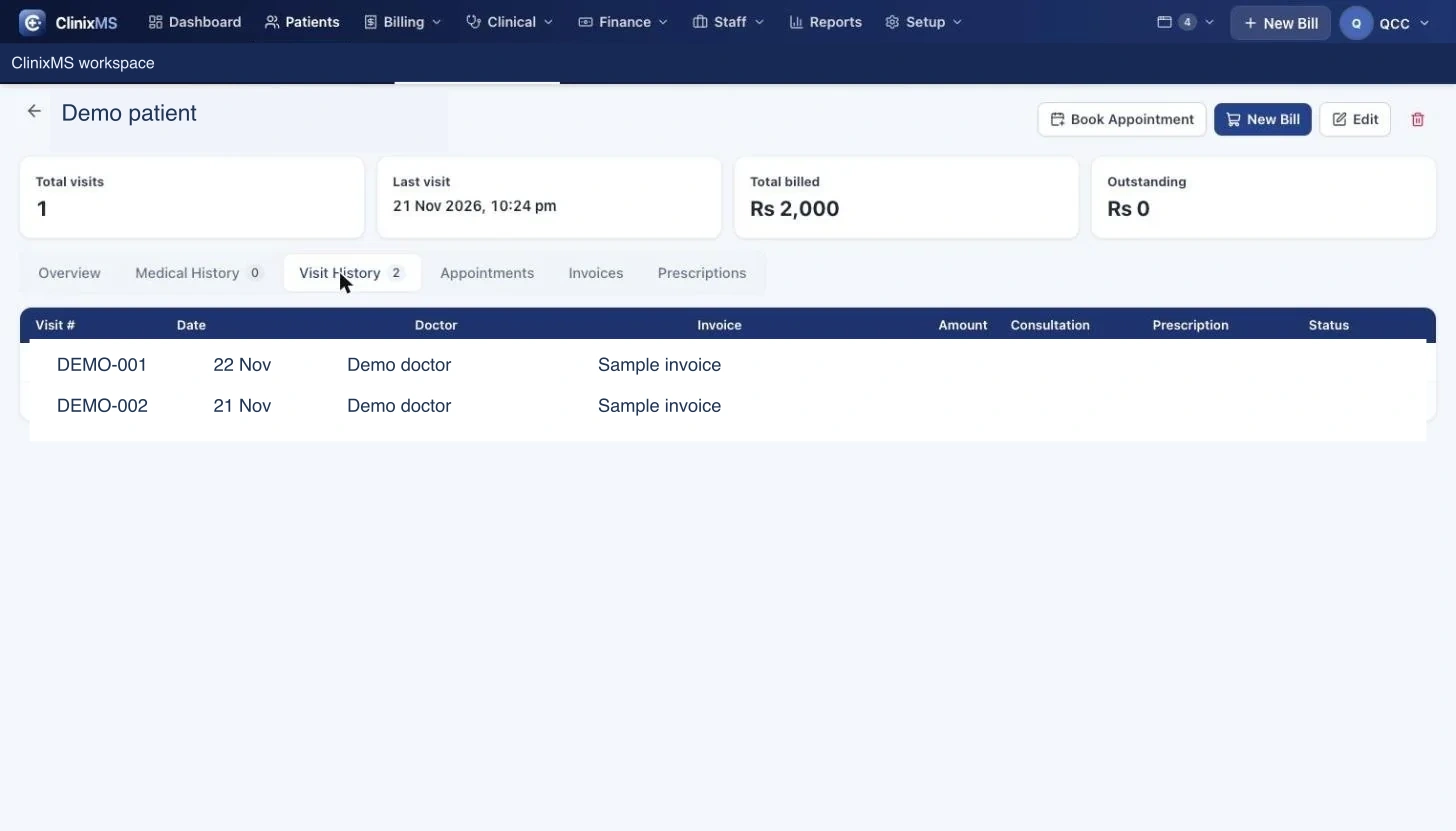
One number for the whole story.
Every visit, bill, appointment, prescription and medical history entry lives under the patient’s MRN.
- Total visits, last visit, total billed and outstanding at a glance
- Search by name, MRN, phone or CNIC
- Book or bill straight from the profile
Built for the way busy clinics actually work.
Smart appointments
Book in seconds. Opening hours are built in, and double bookings are blocked.
Complete patient records
Every visit, bill and medical history, under one patient number.
Fast billing
Choose the patient, add services, take payment and print the receipt.
Live doctor queue
Once a bill is made, the patient joins the doctor’s queue automatically.
Digital prescriptions
Vitals, diagnosis and medicines, with suggestions as you type.
Prints on your letterhead
Use your existing prescription pads. ClinixMS fills in only the blanks.
Automatic commissions
Each doctor’s share is calculated with every bill and adjusted for refunds.
Salaries and payouts
Payslips, commissions and payouts, managed in one place.
Expenses and vendors
Know what you spent, who you paid and what is still due.
Dashboards for every role
Admin, reception and doctor each see what matters to them.
Powerful reports
Revenue, services, expenses and payouts by day, week or month. Export to PDF or CSV.
Secure and accountable
Role permissions, PIN-protected refunds and a full activity log.
See ClinixMS in 90 seconds.
Explore the screens your team uses, from booking a slot to the end-of-month payout.
Keep your prescription pads. We fill in only the blanks.
ClinixMS prints the patient’s details, vitals, diagnosis and medicines exactly onto your pre-printed pad — your logo, layout and doctor details stay as they are.
- Fine-tune with right, down and size adjustments
- Test on plain paper with a form outline before using real pads
- Choose your pad’s paper size
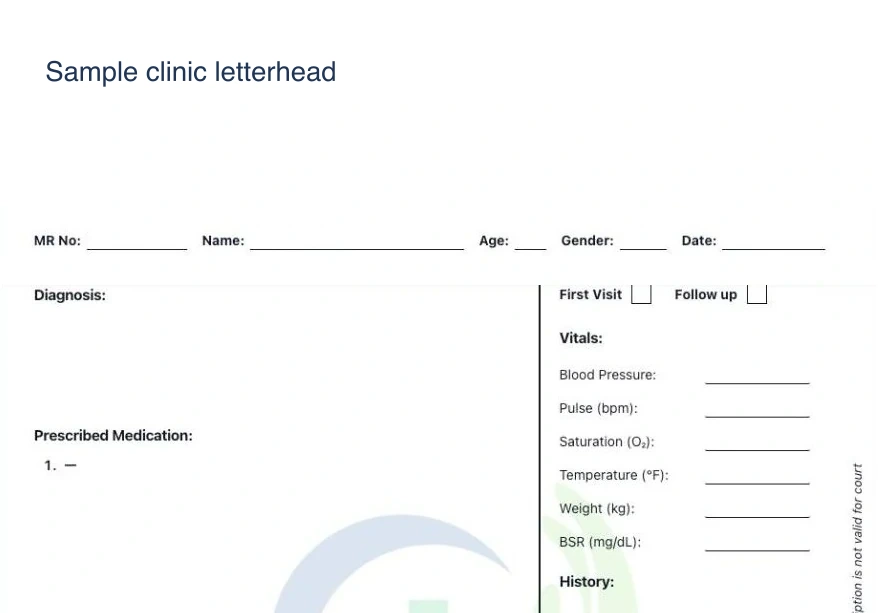
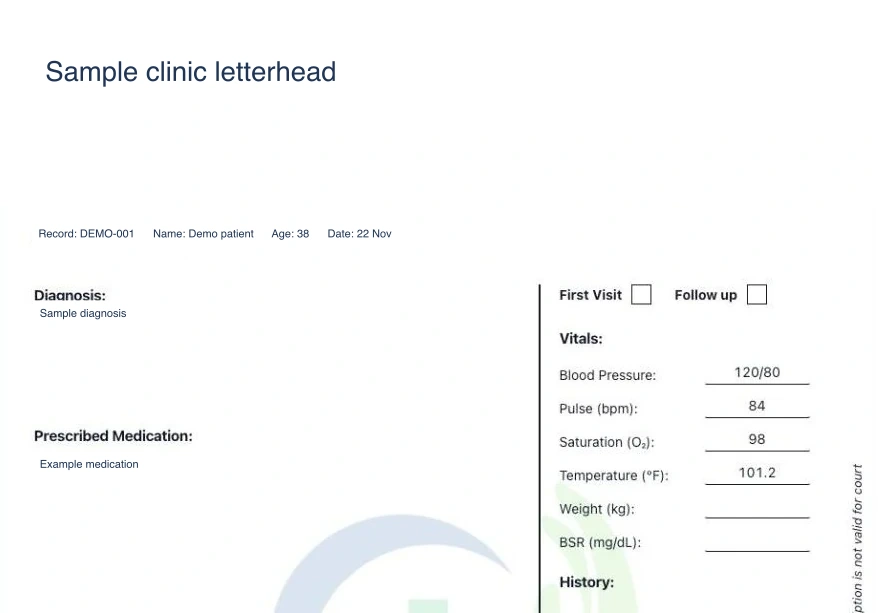 Your padAfter ClinixMS prints
The numbers add up — without a calculator.
Every doctor’s share, worked out with every bill.
Set the commission per service and per doctor once. ClinixMS calculates the share on each bill, takes refunds off, and turns it into a payout voucher when you pay.
- Doctor payout report with services value and net commission
- Monthly payslips and salary bills, exported to PDF
- Payout history with partial payments and balances
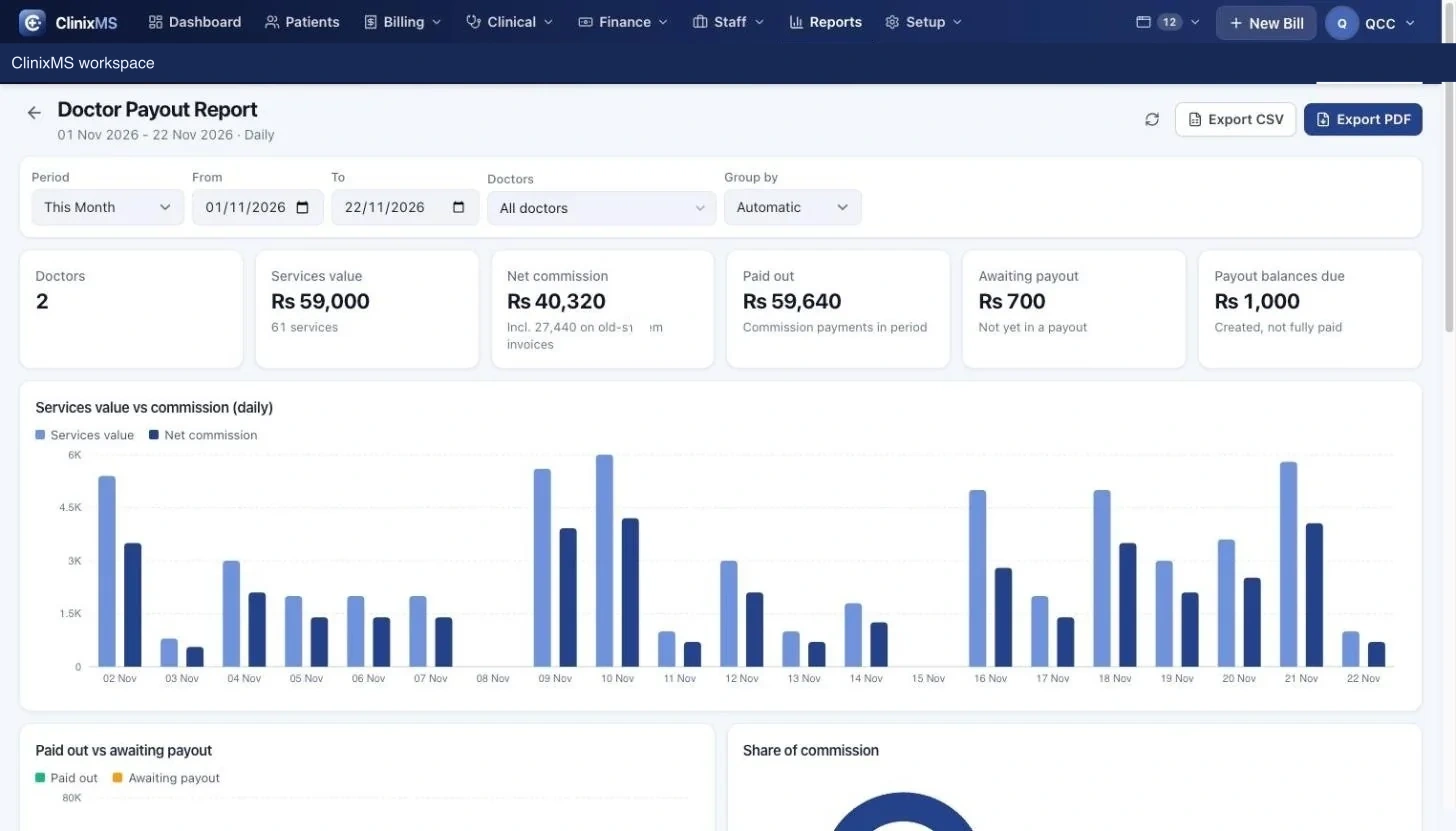
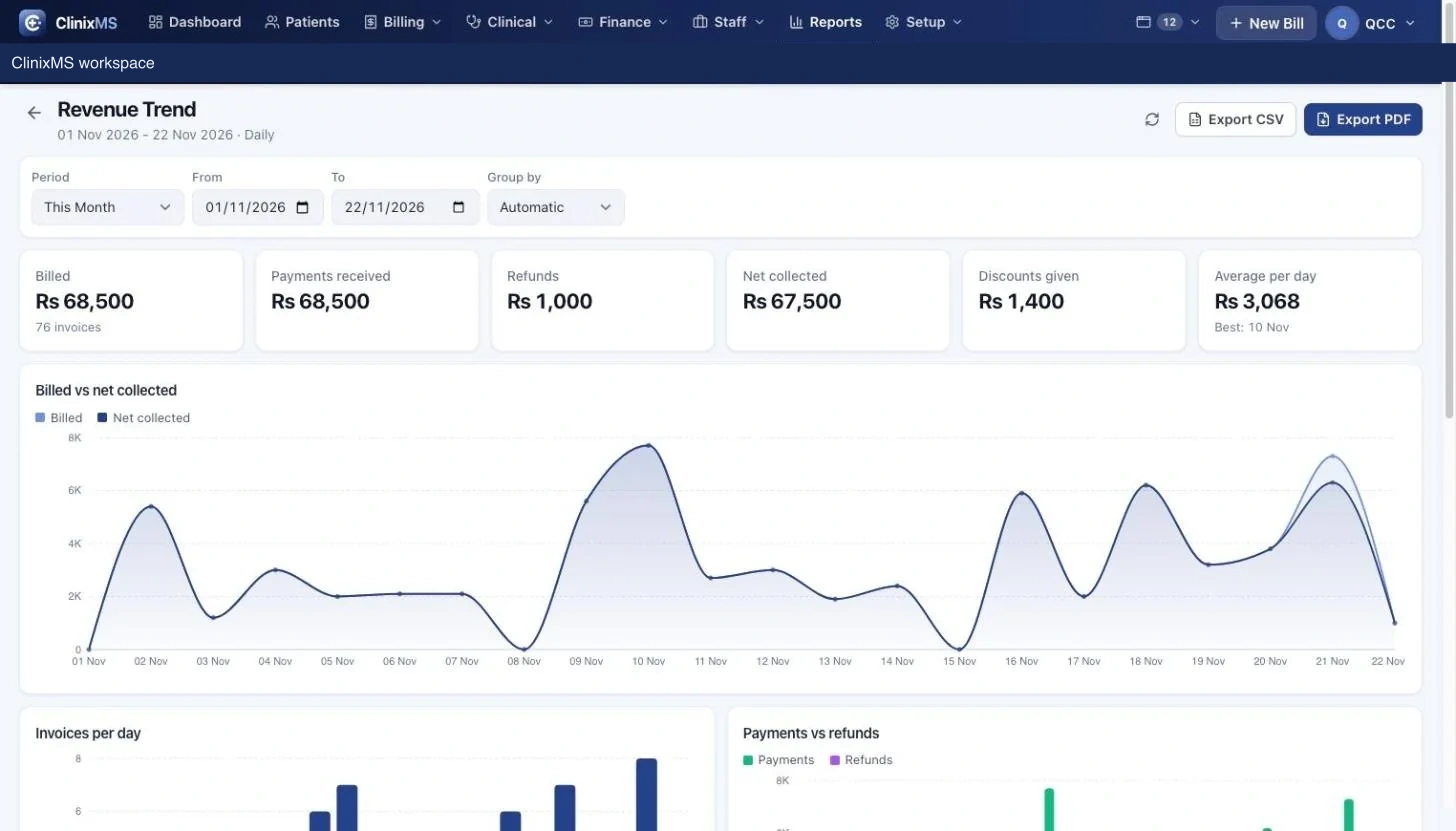
Reports you’ll actually open.
Revenue, services, expenses and payouts by day, week or month — every report has charts and exports to PDF or CSV.
- Overall clinic performance and revenue trend
- Revenue by service and expense report
- Expenses with vendors, paid and still due
Made for clinics of every kind.
General clinics
Fast consultations, a busy front desk and doctors on shifts — queues, billing and prescriptions that keep up.
Dental clinics
Appointments by dentist, treatment services priced your way, and a full history for every patient.
Aesthetics clinics
Session bookings, discounts and partial payments, and a commission set for every practitioner.
Control where it matters.
A full activity log.
Every login, bill, refund, queue change and prescription is recorded with who did it and when.
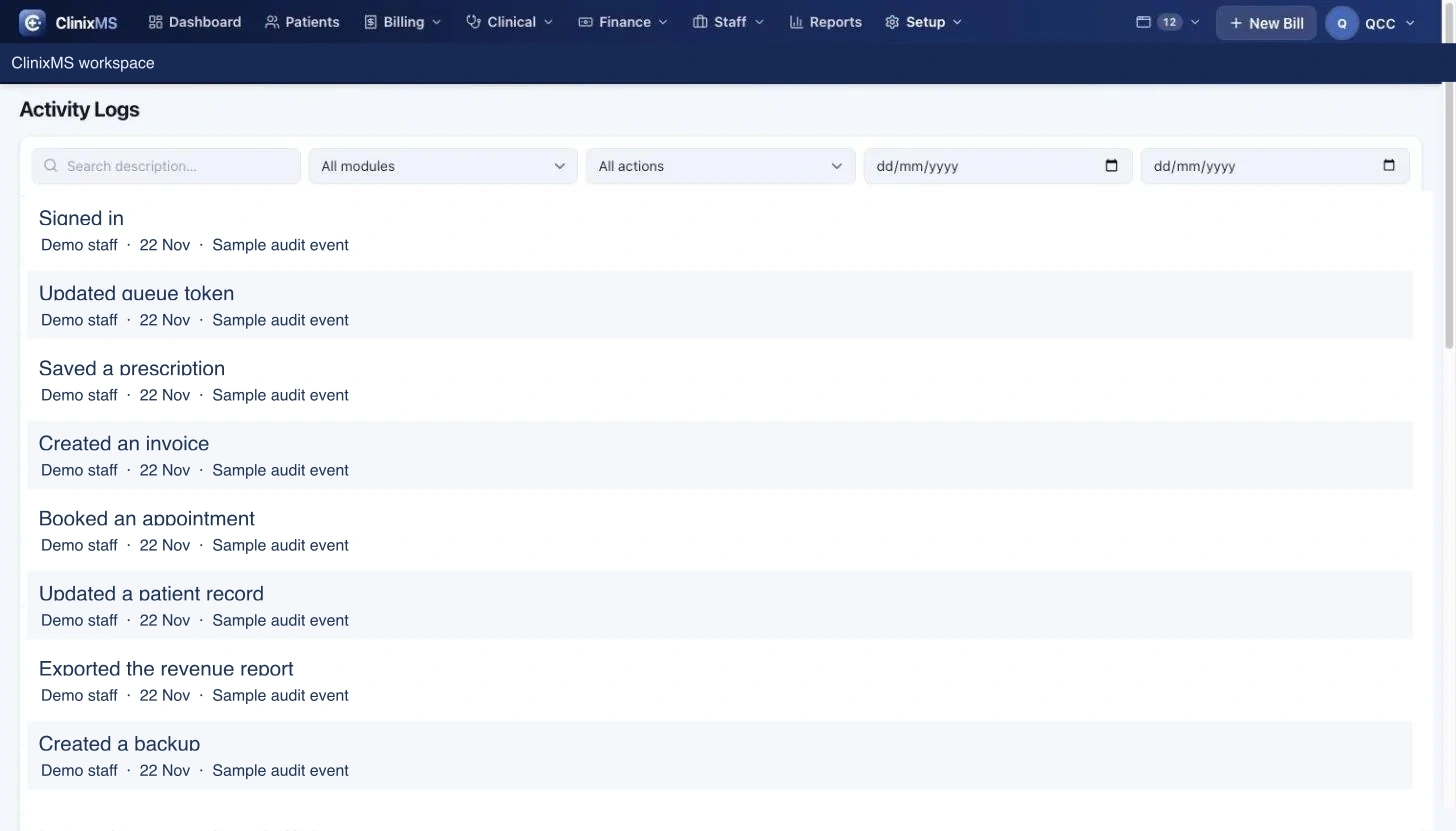
Role permissions
Admin, manager, receptionist and doctor roles — choose exactly what each one can see and do.
PIN-protected refunds
Every refund needs a PIN, and failed attempts are recorded in the activity log.
Automatic backups
Scheduled daily, weekly or monthly, keeping the last copies you choose — and ready to restore.
Safe restores
A safety copy is taken automatically before any backup is restored.
Installed on your own server. Shared across your clinic.
ClinixMS runs on your own Windows server inside the clinic, and every computer on your network — reception, doctors’ rooms, the office — works from the same live data.
- Patient data stays on your premises
- Every counter and room sees the same queue and records
- Works in the browser on desktops and mobile screens
Up and running with our team.
Demo & fit check
We walk through ClinixMS with your team and check it fits how your clinic works.
Installation
We install ClinixMS on your Windows server and connect your clinic’s computers.
Your setup
Your logo, opening hours, services, doctors, commissions and medicine list — imported or entered.
Training & go-live
Reception, doctors and admin are trained on their own screens before you go live.
Questions, answered.
Does ClinixMS need the internet to work?
ClinixMS is installed on your own Windows server and shared across your clinic’s computers over your local network, so your day-to-day work runs inside the clinic. Features such as appointment emails need an internet connection.
Can I use my existing prescription pads?
Yes. ClinixMS prints only the blanks — patient details, vitals, diagnosis and medicines — onto your pre-printed pad. You can adjust the alignment and test on plain paper first.
How are doctor commissions calculated?
You set each doctor’s commission per service. ClinixMS calculates the share on every bill, adjusts it automatically for refunds, and lets you pay it out with a voucher.
Who can see what?
Access is controlled by roles. Admin, reception and doctors each get their own dashboard and permissions, and every action is recorded in the activity log.
What happens to my data if a computer fails?
Your data lives on the clinic server, not on individual computers. Automatic backups run daily, weekly or monthly, and any backup can be restored — a safety copy is taken first.
Can I bring in my medicine list?
Yes. The medicine list supports CSV import, and the medicines appear as suggestions while doctors type prescriptions.
See ClinixMS in your clinic.
Book a demo and we’ll walk your team through appointments, billing, queues and prescriptions — using your services and your workflow.